

- Latest version
- Luminara Shader spooky 1.2
- Minecraft
- 1.20 to 26.3
- Licence
- not stated
- Downloads
- 201.6k
- Updated
- 2 mo ago
- Available on
- CurseForge
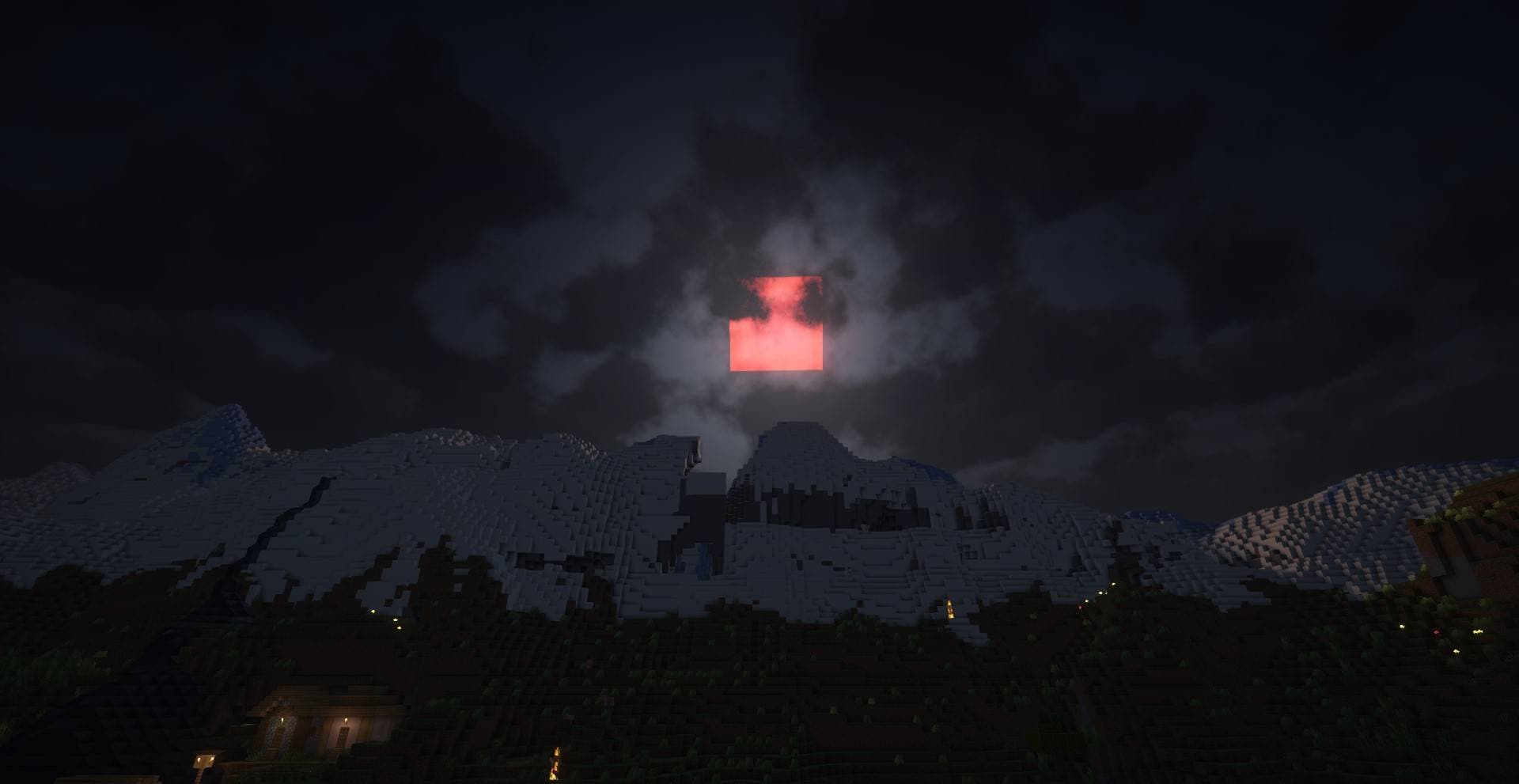
Screenshots
Click a screenshot to open it. Screenshots are served from the author’s own host and belong to them.
Minecraft versions
Every version Luminara Shader spooky declares support for, newest first, with the Java runtime that version needs.
| Minecraft | Kind | Java | Evidence | Released |
|---|---|---|---|---|
| 26.3 | release | 25+ | declared | 15 Sept 2026 |
| 26.2 | release | 25+ | declared | 16 Jun 2026 |
| 26.1.2 | release | 25+ | declared | 9 Apr 2026 |
| 26.1.1 | release | 25+ | declared | 1 Apr 2026 |
| 26.1 | release | 25+ | declared | 24 Mar 2026 |
| 1.21.11 | release | 21+ | declared | 9 Dec 2025 |
| 1.21.10 | release | 21+ | declared | 7 Oct 2025 |
| 1.21.9 | release | 21+ | declared | 30 Sept 2025 |
| 1.21.8 | release | 21+ | declared | 17 Jul 2025 |
| 1.21.7 | release | 21+ | declared | 30 Jun 2025 |
| 1.21.6 | release | 21+ | declared | 17 Jun 2025 |
| 1.21.5 | release | 21+ | declared | 25 Mar 2025 |
| 1.21.4 | release | 21+ | declared | 3 Dec 2024 |
| 1.21.3 | release | 21+ | declared | 23 Oct 2024 |
| 1.21.2 | release | 21+ | declared | 22 Oct 2024 |
| 1.21.1 | release | 21+ | declared | 8 Aug 2024 |
| 1.21 | release | 21+ | declared | 13 Jun 2024 |
| 1.20.6 | release | 21+ | declared | 29 Apr 2024 |
| 1.20.5 | release | 21+ | declared | 23 Apr 2024 |
| 1.20.4 | release | 17+ | declared | 7 Dec 2023 |
| 1.20.3 | release | 17+ | declared | 4 Dec 2023 |
| 1.20.2 | release | 17+ | declared | 20 Sept 2023 |
| 1.20.1 | release | 17+ | declared | 12 Jun 2023 |
| 1.20 | release | 17+ | declared | 2 Jun 2023 |
Download
From Luminara Shader spooky’s own host. Nothing is re-hosted here.
Most recently published release
Luminara Shader spooky 1.2.zip · 6.1 MB · for 26.3, 26.2, 26.1.2, 26.1.1, 26.1 +19 more
c8a42614d7f7…Older versions2Hide older versions
- Luminara Shader spooky 1.1.zip8 Jan 202626.2, 26.1.2, 26.1.1, 26.1, 1.21.11 +18 more6.0 MB81.0k downloads
d6758a107d86…Choose file on publisher ↗ - Luminara Shader spooky.zip14 Nov 202526.1.2, 26.1.1, 26.1, 1.21.11, 1.21.10 +17 more6.1 MB5.4k downloads
853d1349ab49…Choose file on publisher ↗
Frequently asked
Does Luminara Shader spooky work on Minecraft 26.3?
Yes. 26.3 is the newest Minecraft version Luminara Shader spooky declares support for, and the claim comes from the author's own release metadata rather than from a compatibility list somebody maintains by hand.
Which Minecraft versions does Luminara Shader spooky support?
Everything the author has declared, from 1.20 up to 26.3. The full list is in the table above, with the Java runtime each version needs next to it.
How do I install Luminara Shader spooky?
You need a shader loader first: Iris (with Sodium) or OptiFine. Put the downloaded file in your shaderpacks folder and select it in the video settings shader screen. The shader loader, not the pack, decides which Minecraft versions work.
Where do I download Luminara Shader spooky safely?
Start with the author's page on CurseForge, which is where the data here is synced from. MCReference does not host or repackage files. When available, recorded download links go to the source for that release; verify the publisher, filename and any available checksum before running it.
Works on the same versions
Ordered by how much of the recent Minecraft version coverage overlaps, not by popularity.
Is this information wrong or missing something? .