
shader pack
Drunk Goggles (Drunk Shaders)Minecraft shader pack
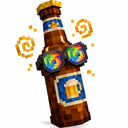
A drunk shader pack that simulates visual impairment — double vision, focus loss, camera overshoot, depth flattening and a shaky field of view — on a real impairment curve you can either set with a slider or build up over a session.
- Latest version
- no release indexed
- Minecraft
- no version declared
- Licence
- not stated
- Downloads
- 432
- Updated
- 24 d ago
- Available on
- CurseForge
Frequently asked
How do I install Drunk Goggles (Drunk Shaders)?
You need a shader loader first: Iris (with Sodium) or OptiFine. Put the downloaded file in your shaderpacks folder and select it in the video settings shader screen. The shader loader, not the pack, decides which Minecraft versions work.
Where do I download Drunk Goggles (Drunk Shaders) safely?
MCReference has no release file or checksum recorded for Drunk Goggles (Drunk Shaders). Check the publisher's CurseForge listing for current downloads and verify the publisher before installing.
Which Minecraft versions does Drunk Goggles (Drunk Shaders) work on?
The author has not declared a supported version in the metadata we sync, so there is nothing here we can state as fact. Check the project's own page before installing it, and treat an old shader pack with no declared version as untested on modern Minecraft.
Is this information wrong or missing something? .