
mod
Tools On My Back (TOMB)Minecraft mod for 26.1.2
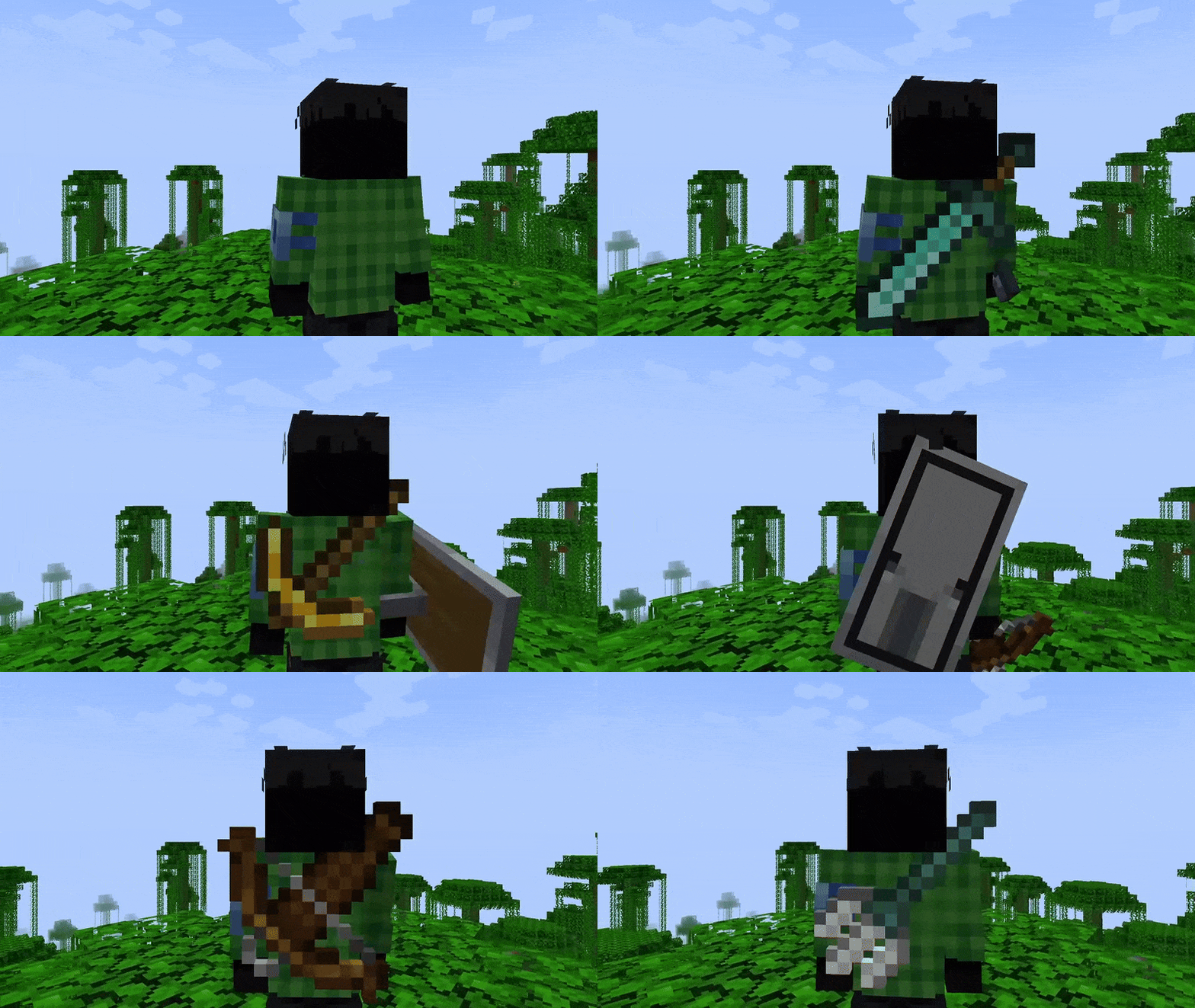
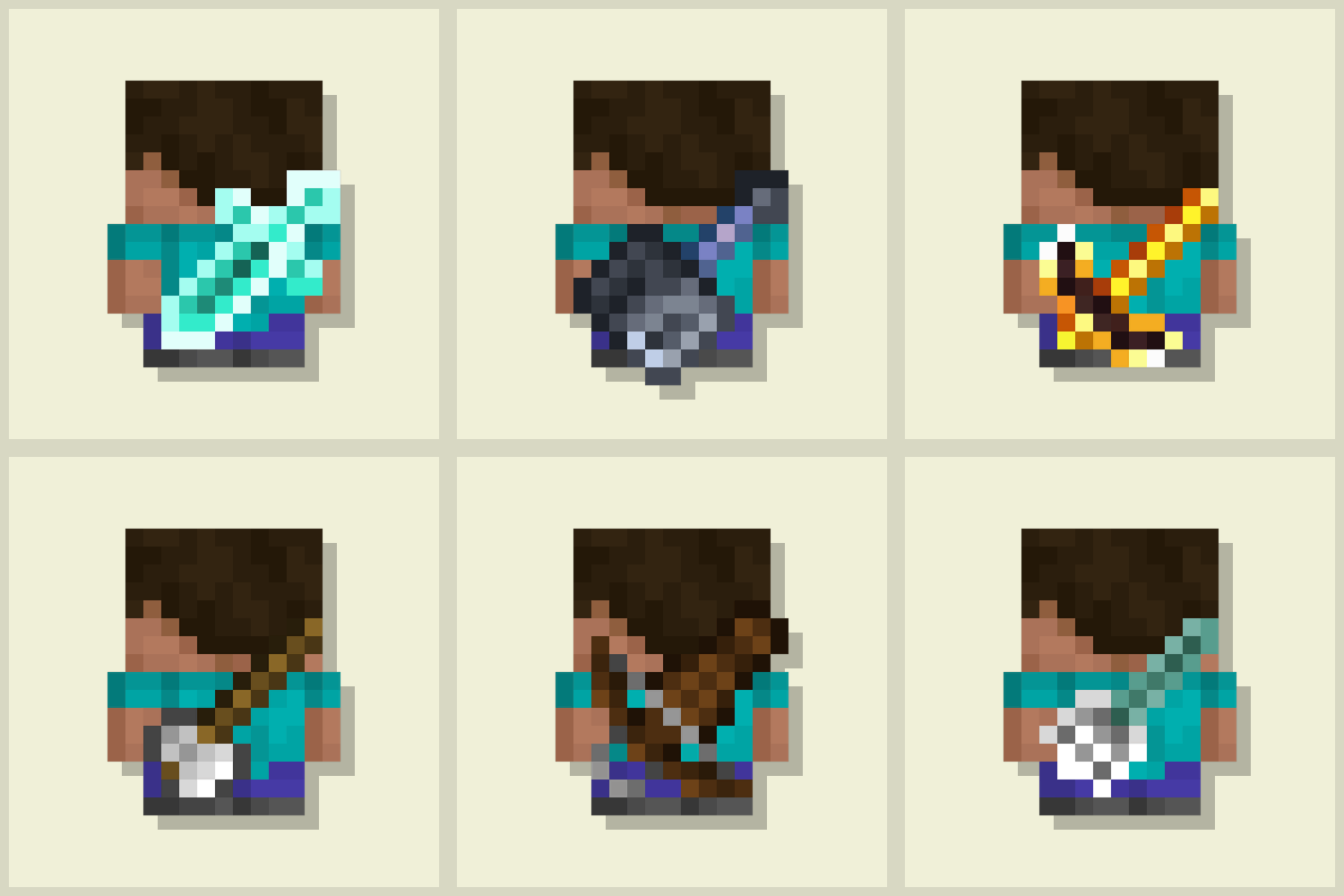
Displays the last used tool on the player's back. Adds immersive style to your adventures! 🪄 Now with an in-game editor and profile sharing! 🪄
- Latest version
- 1.0.2+26.1+fabric
- Minecraft
- 1.21.2 to 26.1.2
- Java
- Java 25+
- Loaders
- NeoForge, Fabric
- Licence
- CC-BY-ND-4.0
- Downloads
- 31.3k
- Updated
- 1 mo ago
- Available on
- Modrinth
Screenshots
Click a screenshot to open it. Screenshots are served from the author’s own host and belong to them.
Minecraft versions
Every version Tools On My Back (TOMB) declares support for, newest first, with the Java runtime that version needs.
| Minecraft | Through | Java | Evidence | Released |
|---|---|---|---|---|
| 26.1.2 | NeoForge, Fabric | 25+ | declared | 9 Apr 2026 |
| 26.1.1 | Fabric, NeoForge | 25+ | declared | 1 Apr 2026 |
| 26.1 | Fabric, NeoForge | 25+ | declared | 24 Mar 2026 |
| 1.21.11 | NeoForge, Fabric | 21+ | declared | 9 Dec 2025 |
| 1.21.10 | NeoForge, Fabric | 21+ | declared | 7 Oct 2025 |
| 1.21.9 | Fabric, NeoForge | 21+ | declared | 30 Sept 2025 |
| 1.21.8 | NeoForge, Fabric | 21+ | declared | 17 Jul 2025 |
| 1.21.7 | NeoForge, Fabric | 21+ | declared | 30 Jun 2025 |
| 1.21.6 | NeoForge, Fabric | 21+ | declared | 17 Jun 2025 |
| 1.21.5 | Fabric, NeoForge | 21+ | declared | 25 Mar 2025 |
| 1.21.4 | NeoForge, Fabric | 21+ | declared | 3 Dec 2024 |
| 1.21.3 | NeoForge, Fabric | 21+ | declared | 23 Oct 2024 |
| 1.21.2 | NeoForge, Fabric | 21+ | declared | 22 Oct 2024 |
ToolsOnMyBack-1.0.2+26.1+fabric.jar · 68 KB · for 26.1.2, 26.1.1, 26.1
ebce1036cf65…Older versions24Hide older versions
- 1.0.2+1.21.11+fabric22 Apr 20261.21.1167 KB5.2k downloads
de87f81d3f8e…Get - 1.0.2+1.21.10+fabric22 Apr 20261.21.1067 KB371 downloads
fe8316ec6cc4…Get - 1.0.2+1.21.9+fabric22 Apr 20261.21.967 KB45 downloads
34d88c7b1eaa…Get - 1.0.2+1.21.8+fabric22 Apr 20261.21.867 KB232 downloads
592729d97de9…Get - 1.0.2+1.21.6+fabric22 Apr 20261.21.667 KB39 downloads
7e2014f19b15…Get - 1.0.2+1.21.5+fabric22 Apr 20261.21.567 KB145 downloads
a3e50d162e8c…Get - 1.0.2+1.21.4+fabric22 Apr 20261.21.467 KB231 downloads
05cd9693f710…Get - 1.0.2+1.21.3+fabric22 Apr 20261.21.367 KB34 downloads
5241c33d16c7…Get - 1.0.2+1.21.2+fabric22 Apr 20261.21.267 KB54 downloads
e116f787431e…Get - 1.0.2+26.1+neoforge22 Apr 202626.1.2, 26.1.1, 26.166 KB389 downloads
ac8684e480ce…Get - 1.0.2+1.21.11+neoforge22 Apr 20261.21.1166 KB208 downloads
63ffc3bd5e0f…Get - 1.0.2+1.21.10+neoforge22 Apr 20261.21.1066 KB27 downloads
9ae6468fc48b…Get - 1.0.2+1.21.9+neoforge22 Apr 20261.21.966 KB15 downloads
68ec5a6701f5…Get - 1.0.2+1.21.8+neoforge22 Apr 20261.21.866 KB23 downloads
a8f0714e0c4e…Get - 1.0.2+1.21.7+neoforge22 Apr 20261.21.766 KB13 downloads
ad4112bc3602…Get - 1.0.2+1.21.6+neoforge22 Apr 20261.21.666 KB12 downloads
28503843ba1a…Get - 1.0.2+1.21.5+neoforge22 Apr 20261.21.566 KB29 downloads
7de53a184aeb…Get - 1.0.1+1.21.107 Dec 20251.21.1063 KB5.9k downloads
0b2889fa42dc…Get - 1.0.1+1.21.97 Dec 20251.21.963 KB225 downloads
c694a8d30380…Get - 1.0.1+1.21.87 Dec 20251.21.863 KB1.0k downloads
78fe378d6e2a…Get - 1.0.1+1.21.77 Dec 20251.21.763 KB125 downloads
0e61244f2fb5…Get - 1.0.1+1.21.67 Dec 20251.21.663 KB114 downloads
b84dd092800a…Get - 1.0.1+1.21.57 Dec 20251.21.563 KB733 downloads
91b88857322a…Get - 1.0.1+1.21.47 Dec 20251.21.463 KB674 downloads
5e2cbca37aa4…Get
Frequently asked
Does Tools On My Back (TOMB) work on Minecraft 26.1.2?
Yes. 26.1.2 is the newest Minecraft version Tools On My Back (TOMB) declares support for, and the claim comes from the author's own release metadata rather than from a compatibility list somebody maintains by hand.
Which Minecraft versions does Tools On My Back (TOMB) support?
Everything the author has declared, from 1.21.2 up to 26.1.2. The full list is in the table above, with the Java runtime each version needs next to it.
Do I need to install Tools On My Back (TOMB) on the client or the server?
The client only. There is nothing to install on the server side. That is the author's declared design, not a guarantee for every server: one running anti-cheat or missing a counterpart mod can still object.
Which platform or loader does Tools On My Back (TOMB) support?
NeoForge, Fabric. A build for one platform or loader will not necessarily load on another, so this is the first thing to check before the Minecraft version.
Which Java version do I need for Tools On My Back (TOMB)?
On the newest Minecraft version it supports, Java 25 or newer. The requirement comes from the Minecraft version you run rather than from the mod itself, so on an older supported Minecraft the answer is that version's Java, not this one.
What licence is Tools On My Back (TOMB) under?
CC-BY-ND-4.0, as stated by the author on the platform we synced it from. Check the project's own page before redistributing or bundling it.
How do I install Tools On My Back (TOMB)?
Install the matching loader first, then put the downloaded file in your mods folder and start the game. The loader, the mod and Minecraft all have to be on the same version, which is the usual reason a mod does not appear in game.
Where do I download Tools On My Back (TOMB) safely?
Start with the author's page on Modrinth, which is where the data here is synced from. MCReference does not host or repackage files. The download link goes to the source recorded for that release; verify the publisher, filename and checksum before running it.
Works on the same versions
Ordered by how much of the recent Minecraft version coverage overlaps, not by popularity.
Is this information wrong or missing something? .