

mod
slashblade:shinku and blood katanaMinecraft mod for 1.21.1
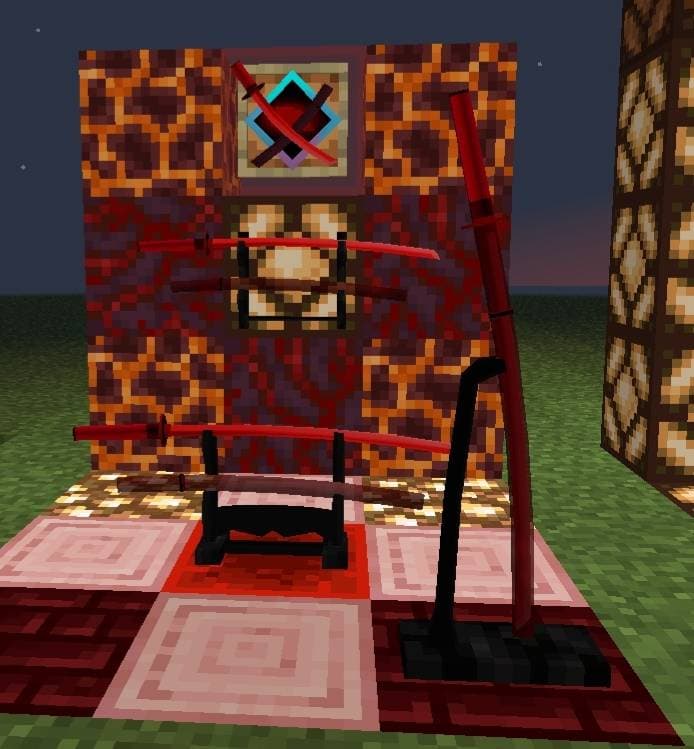
This add-on tells the story of a resourceful poor swordsman and adds two new blades inspired by the Hellfire Blade series, along with six progressive Jade Talismans that provide damage immunity and status effects when held in the off-hand.
- Latest version
- shinkubloodkatana-1.0.2.jar
- Minecraft
- 1.20.1 to 1.21.1
- Java
- Java 21+
- Loaders
- Forge, NeoForge
- Licence
- not stated
- Downloads
- 75.6k
- Updated
- 2 mo ago
- Available on
- CurseForge
Screenshots
Click a screenshot to open it. Screenshots are served from the author’s own host and belong to them.
Minecraft versions
Every version slashblade:shinku and blood katana declares support for, newest first, with the Java runtime that version needs.
Download
From slashblade:shinku and blood katana’s own host. Nothing is re-hosted here.
shinkubloodkatana-1.0.2.jar · 0.7 MB · for 1.20.1
0a4a797cc28d…Older versions5Hide older versions
- shinkubloodkatana-1.21.1-1.0.1.jar12 May 20261.21.10.7 MB61 downloads
d03b53ed1cbc…Get - shinkubloodkatana-1.0.1.jar11 May 20261.20.10.7 MB45 downloads
46355e00794c…Get - shinkubloodkatana-1.21.1-1.0.0.jar11 May 20261.21.10.7 MB
f088c1c7b827…Get - shinkubloodkatana-1.0.0.jar30 Dec 20251.20.10.7 MB94 downloads
5e1e48cf60c8…Get - shinkubloodkatana-1.0-SNAPSHOT.jar9 Oct 20251.20.10.7 MB58 downloads
a3f522854215…Get
Frequently asked
Does slashblade:shinku and blood katana work on Minecraft 1.21.1?
Yes. 1.21.1 is the newest Minecraft version slashblade:shinku and blood katana declares support for, and the claim comes from the author's own release metadata rather than from a compatibility list somebody maintains by hand.
Which Minecraft versions does slashblade:shinku and blood katana support?
Everything the author has declared, from 1.20.1 up to 1.21.1. The full list is in the table above, with the Java runtime each version needs next to it.
Which platform or loader does slashblade:shinku and blood katana support?
Forge, NeoForge. A build for one platform or loader will not necessarily load on another, so this is the first thing to check before the Minecraft version.
Which Java version do I need for slashblade:shinku and blood katana?
On the newest Minecraft version it supports, Java 21 or newer. The requirement comes from the Minecraft version you run rather than from the mod itself, so on an older supported Minecraft the answer is that version's Java, not this one.
How do I install slashblade:shinku and blood katana?
Install the matching loader first, then put the downloaded file in your mods folder and start the game. The loader, the mod and Minecraft all have to be on the same version, which is the usual reason a mod does not appear in game.
Where do I download slashblade:shinku and blood katana safely?
Start with the author's page on CurseForge, which is where the data here is synced from. MCReference does not host or repackage files. The download link goes to the source recorded for that release; verify the publisher, filename and checksum before running it.
Works on the same versions
Ordered by how much of the recent Minecraft version coverage overlaps, not by popularity.
Is this information wrong or missing something? .