
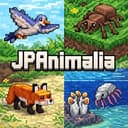
mod
JPNatureCraftMinecraft mod
Introduces mysterious and scientifically inspired creatures that spawn naturally in your Minecraft world.
- Latest version
- JPNatureCraft-10.0.0.jar
- Minecraft
- no version declared
- Java
- follows the game
- Loaders
- none declared
- Licence
- not stated
- Downloads
- 474
- Updated
- 3 mo ago
- Available on
- CurseForge
Download
From JPNatureCraft’s own host. Nothing is re-hosted here.
Most recently published release
jpnaturecraft-10.0.0.jar · 4.0 MB · for 1.20.1 · Forge
22c4d08dccd8…Older versions9Hide older versions
- JPNatureCraft-9.0.0.jar23 Jul 20261.20.13.5 MB12 downloads
0a14c43666ce…Get - JPNatureCraft-8.0.0.jar17 Jun 20261.20.13.3 MB57 downloads
f36bb7400415…Get - JPNatureCraft-7.0.0.jar3 Jun 20261.20.12.4 MB29 downloads
a8ed8a7b7b6b…Get - JPNatureCraft-6.0.0.jar26 May 20261.20.11.3 MB40 downloads
47272f59fa93…Get - JPNatureCraft-5.0.0.jar18 May 20261.20.10.9 MB37 downloads
f06fda34e5b7…Get - JPNatureCraft-4.0.0.jar18 Mar 20261.20.10.6 MB164 downloads
36b204ccd53b…Get - JPNatureCraft-3.0.0.jar13 Mar 20261.20.10.6 MB32 downloads
892b67e84b21…Get - JPNatureCraft-2.0.0.jar12 Mar 20261.20.10.5 MB31 downloads
3c49a4167948…Get - JPNatureCraft-1.0.0.jar11 Mar 20261.20.10.3 MB47 downloads
896eca675d6d…Get
Frequently asked
How do I install JPNatureCraft?
Install the matching loader first, then put the downloaded file in your mods folder and start the game. The loader, the mod and Minecraft all have to be on the same version, which is the usual reason a mod does not appear in game.
Where do I download JPNatureCraft safely?
Start with the author's page on CurseForge, which is where the data here is synced from. MCReference does not host or repackage files. When available, recorded download links go to the source for that release; verify the publisher, filename and any available checksum before running it.
Which Minecraft versions does JPNatureCraft work on?
The author has not declared a supported version in the metadata we sync, so there is nothing here we can state as fact. Check the project's own page before installing it, and treat an old mod with no declared version as untested on modern Minecraft.
Is this information wrong or missing something? .